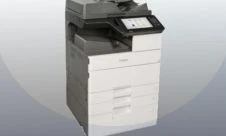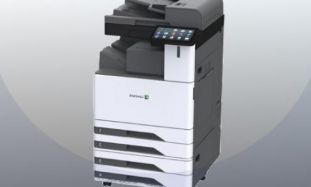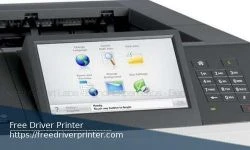
Lexmark M5170 Monochrome Laser Printer Driver Downloads for Windows Mac and Linux Operating System. The Lexmark M5170 printer is a monochrome laser printer that has been developed for large offices and other workgroups. It can manage a range of materials, including A6 and A4, along with envelopes and folios. As this printer takes high-capacity cartridges, it can deliver 300,000 pages per month, leaving little downtime. Users can select the function they require from the 7-inch touchscreen. this interface also delivers audio feedback, making it much easier to complete a complex job.
The Printer Lexmark M5170 laserjet measures 419mm x 425mm x 510mm and weighs 23.99kg. It will process the most complicated jobs with ease, thanks to its 2.56 GB of memory and an 800MHz dual-core processor. When used for printing, it will reach speeds of 66 ppm and produce the first page of a run within four seconds. A multipurpose feeder takes 100 sheets at a time, while the input tray below can hold 500 sheets. A warm-up fuser means this printer is ready in seconds, an instant start that saves both energy and time. Another efficiency boosting feature is print preview, which enables an operator to view one individual page or a selection of pages prior to beginning a print run.
Read: Lexmark M5163 Driver
The Printer M5170 Lexmark laserjet is a great choice. It has several energy-saving functions, including hibernate mode. In this state, power consumption is under one watt. A range of connectively options and ports include USB 2.0, a card slot, and gigabit Ethernet. (https://www.cartridgesave.co.uk/toner-cartridges/Lexmark/M5170.html)
Read: Lexmark M5155 Driver Printer
Use the links on this page to download the latest version of Lexmark M5170 Series Drivers and Software. Please choose the relevant version according to your computer's operating system and click the download button.
Lexmark M5170 Driver Windows Ver. 1.3
IMPORTANT: Be sure to connect your PC to the Internet while performing the following:
- Download the file. For the location where the file is saved, check the computer settings.
- Double-click the downloaded .exe file. It will be decompressed and the Setup screen will be displayed.
Follow the instructions to install the software and perform the necessary settings. - Call a professional services software or search web support software, if you have any trouble to installation this driver
System Requirements
- Microsoft Windows Server 2016 64 Bit
- Microsoft Windows Server 2012 64 Bit
- Microsoft Windows Server 2008 32 & 64 Bit
- Microsoft Windows 10 32 & 64 Bit
- Microsoft Windows 8.1 32 & 64 Bit
- Microsoft Windows 8 32 & 64 Bit
- Microsoft Windows Seven 32 & 64 Bit
- Microsoft Windows Vista 32 & 64 Bit
Detail File Information
- File version: 1.3
- File Size: 147.01 MB
- File name: Lexmark_BSD_Software_AEA_Installation_Package.exe
Lexmark M5170 Driver Mac Ver. 2.0.0
IMPORTANT: Be sure to connect your PC to the Internet while performing the following:
- Download the file. For the location where the file is saved, check the computer settings.
- Double-click the downloaded file and mount it on the Disk Image.
- Double-click the mounted Disk Image.
- Double-click the Setup file in the folder. The Setup screen will be displayed.
Follow the instructions to install the software and perform the necessary settings. - if you have any trouble to installation this driver, search web support software or call a professional services software
System Requirements
- Mac OS Sierra v10.12
- El Capitan v10.11
- Mavericks v10.9
- Mountain Lion 10.8
- Lion 10.7
- and Mac Snow Leopard 10.6
Detail File Information
- File version: 2.0.0
- File Size: 15.23 MB
- File name: Lexmark_AEB_PrinterSoftware_12152016.dmg
Read: Lexmark M1246 Drivers
Lexmark M5170 Driver Linux Ver. 1.00
This package contains the Lexmark PPD file for CUPS (Common Unix Printing System) and OpenOffice applications on supported Red Hat, SuSE, Debian, and Linspire Linux systems. This PostScript support file uses Unicode encoding and provides access to advanced printing features available with your Lexmark printer. Use the following procedure to install this package:
- Download the file. For the location where the file is saved, check the computer settings.
- Install the downloaded package archive file as an Administrator following the manual.
For how to install and use this software, refer to the instruction manual. - Be carefull when you installation this drivers application, call a professional services software if you have any trouble
Detail File Information
- File version: 1.00
- File Size: 91.16 KB
- File name: PPD-Files-LMAEB.tar.Z
Firewall and Network Security
- In the environment where the Firewall software operates, as the printer detection using LAN communication is inhibited, the setup may not be competed.
Disable the Firewall setting temporarily, or close the Firewall software, then, perform the setup. In each case, disconnect the network from the Internet first. - If You using to connecting printers on a LAN or Wireless, please check the Firewall Configuration and Use a professional services management software or professional services software to managed print services for installing this drivers. or you can find or search solution on web support software.
Source : https://www.lexmark.com
- Before you download this file, please check determine the Operating System.
- To download this file, Just click on the download link Download Driver Lexmark M5170 Printer .
- All files are original, This Website does not repack or modify downloads in any way.